
Computer Hardware Upgrades That Start With What You Need to Improve
Your computer still works.
It just doesn’t work the way you need it to anymore.
Maybe it feels slow. Maybe you’re running out of storage. Maybe it struggles when several programs are open. Or maybe you want better performance without replacing the entire computer.
You don’t need to know whether you need more RAM, faster storage, or another component.
Start with what you want your computer to do better.
OnSiteTech can help determine whether a hardware upgrade makes sense before you spend money on the wrong part.
- Microsoft Certified
- Price approved before we start
- 30-day warranty
- No fix, no labour charge
What Do You Want Your Computer to Do Better?
- My Computer Feels Too Slow Programs take too long to open, startup feels slow, or everyday tasks don’t feel as responsive as they should.
- I Keep Running Out of Storage You’re constantly deleting files, moving things around, or getting low-storage warnings.
- My Computer Struggles With Multitasking Performance drops when you open several applications, browser tabs, larger files, or other demanding tasks.
- I Need Better Performance for My Work Your computer no longer handles the applications or workloads you depend on comfortably.
- I Want Better Gaming or Graphics Performance Games or graphics-intensive applications aren’t performing the way you need them to.
- I Need to Run Newer Software A program or operating system requires more from the computer than your current hardware comfortably provides.
- I Want to Keep This Computer Longer The computer still meets most of your needs, but one limitation is making it frustrating to use.
- I’m Not Sure What to Upgrade That’s okay. You don’t need to diagnose the computer before asking for help.
Don’t Buy a Part Until You Know What’s Holding Your Computer Back
It’s easy to see a slow computer and think: “I need more RAM.” Or: “I should buy an SSD.”
But the first upgrade you think of isn’t always the upgrade the computer needs.
A slow computer can have different causes. Limited memory may affect multitasking. Storage can affect capacity and some aspects of responsiveness. A particular workload may depend more heavily on the processor or graphics hardware. And sometimes the problem isn’t an upgrade problem at all.
Find the Limitation First
Before spending money on hardware, the better question is: What is actually stopping this computer from doing what I need?
That’s where we start.
Computer Slow? More RAM Isn’t Automatically the Answer
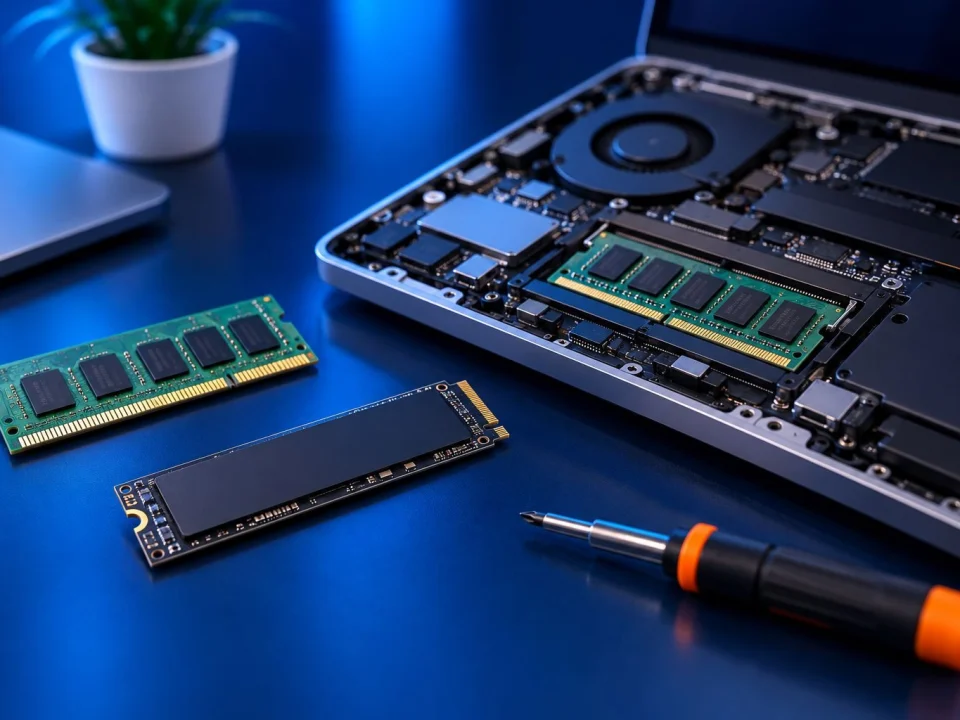
More memory can help when the computer is actually running short of RAM.
For example, you may notice performance problems when several applications, browser tabs, or larger files are open at the same time.
But if RAM isn’t the limitation, adding more may make little difference to the problem you’re trying to solve.
Before upgrading, it makes sense to determine how much memory the computer already has, whether memory is actually being exhausted, whether the computer can accept more, what type is compatible, and whether additional memory would make a meaningful difference for the way you use it.
Upgrade the limitation — not just the specification.
Always Running Out of Storage?
If you’re constantly deleting files or moving data just to make room, additional storage may be worth considering.
But there are two different questions:
Do you need more space?
and
Do you need different storage performance?
They aren’t necessarily the same problem.
The right option depends on the storage already installed, available connections, compatibility, capacity requirements and how you use the computer.
Want the Computer to Feel More Responsive?
Storage can be one factor in how responsive a computer feels.
In compatible systems, moving from an older mechanical hard drive to solid-state storage can improve areas such as startup and application loading.
But replacing the drive shouldn’t become an automatic prescription for every slow computer.
If something else is causing the performance problem, an SSD may not solve the issue you actually care about.
Diagnose first. Upgrade second.
Need Better Gaming, Graphics or Heavy-Workload Performance?
Some workloads need substantially more hardware performance than everyday web browsing, email or office work.
Gaming, graphics work and other demanding applications may place greater demands on components such as the graphics processor, CPU, memory or storage.
But those components work together.
A more powerful part may also introduce compatibility, physical-space, cooling or power requirements.
So the useful question isn’t: “What’s the best GPU or CPU?”
It’s: “What is limiting this computer, and what improvement would actually make sense?”
That keeps the decision focused on your computer rather than somebody else’s parts list.
Can My Computer Actually Be Upgraded?
Sometimes yes.
Sometimes only certain components can be upgraded.
And sometimes the practical options are limited.
Desktop computers generally provide more upgrade flexibility than many laptops. The exact computer matters.
Before buying hardware, compatibility may need to account for things such as the existing system, component type, available connections or slots, physical fit and power requirements.
Compatible Doesn’t Always Mean Worth Buying
A component can technically fit your computer and still be a poor upgrade for your needs.
We want to answer both questions:
Will it work?
and
Will it solve the problem?
Trying to Get Ready for Windows 11?
Don’t start buying hardware simply because you think Windows 11 requires an upgrade.
First determine what is preventing the computer from meeting the relevant requirements and whether upgrading that particular system makes practical sense.
Windows 11 has its own compatibility and upgrade considerations.
Should You Upgrade, Repair, or Replace the Computer?
Sometimes the best hardware upgrade is no upgrade at all.
That isn’t a bad outcome. It means you avoided spending money on something that wouldn’t solve the problem.
Upgrade May Make Sense When...
The computer still meets most of your needs and one identifiable limitation is holding it back.
Repair May Make More Sense When...
The computer has a fault, error, instability or other problem that should be fixed rather than compensated for with new hardware.
Replacement May Be Worth Considering When...
The computer has several significant limitations, the hardware you need isn’t practically upgradeable, or the cost of reaching the performance you need no longer makes sense for that machine.
We don’t need to assume the answer before looking at the computer.
The goal is to make the existing computer work better when upgrading it actually makes sense.
An Upgrade Should Solve a Problem — Not Just Increase a Number
Going from one specification to a bigger number can look impressive.
But that doesn’t necessarily mean you’ll notice the difference.
If you rarely use all of your existing memory, more RAM may not change your experience. If storage capacity isn’t your problem, simply buying a larger drive doesn’t solve your complaint. And if your workload isn’t limited by graphics performance, a more powerful graphics card may not be where your money is best spent.
A Useful Upgrade Has a Purpose
More room for files.
Better multitasking.
Faster storage performance.
Support for a particular workload.
Meeting a new requirement.
Extending the useful life of a computer.
Start with the outcome. Then choose the hardware.
Protect Your Files Before Major Hardware Changes
The new component isn’t more important than your data.
Before significant hardware changes, important files should be backed up appropriately.
If your files are already missing or inaccessible, stop treating the situation as a normal upgrade.
What Happens When You Ask OnSiteTech About an Upgrade?
-
1
Tell Us What You Want to Improve
You can say: “My computer is slow.” “I need more storage.” “I need better performance.” “I want this computer to last longer.” You don’t need to name the component.
-
2
We Look at the Computer You Already Have
The existing hardware, computer model and how you use it matter.
-
3
We Identify What’s Limiting You
The goal is to understand whether hardware is actually the reason the computer isn’t meeting your needs.
-
4
We Look at the Appropriate Upgrade
If a hardware change makes sense, the next step is determining an appropriate and compatible option.
-
5
We Explain the Recommendation and Pricing
You know what is being recommended and why before approved work begins.
-
6
Approved Work Is Completed and Checked
The goal isn’t simply to install a component. It’s to solve the problem that made you consider upgrading in the first place.
How Much Does a Computer Hardware Upgrade Cost?
There isn’t one price that applies to every upgrade.
The total depends on the computer, the component involved, compatibility, the work required and the hardware itself.
OnSiteTech’s standard home and business service rate is $99 per hour for normal service.
Any applicable hardware or parts cost is separate from labour and depends on what the computer actually needs.
The recommended work and applicable pricing are explained before approved work proceeds.
Computer Hardware Upgrade FAQ
Can computer hardware be upgraded?
Often, yes — but the available upgrades depend on the computer. Desktop PCs generally provide more flexibility, while laptops can have more restrictions depending on the model and how components are designed.
What are some common computer hardware upgrades?
RAM and storage are common examples. Depending on the computer and the goal, other components may also be considered. But the best upgrade is the one that addresses the limitation you actually have.
What should I upgrade first on my PC?
There isn’t one component everybody should upgrade first. Start with the problem. A computer struggling with multitasking may have a different limitation from one that is running out of storage or struggling with graphics-heavy software.
Will more RAM make my computer faster?
It can help when insufficient memory is the reason for the slowdown. If memory isn’t the limitation, adding more RAM may not solve the problem you’re noticing.
Will an SSD make my computer faster?
An SSD can improve storage-related responsiveness in an appropriate system, including areas such as startup and application loading. But an SSD doesn’t fix every cause of a slow computer.
Can a laptop be upgraded?
Some can. RAM and storage may be upgradeable on some laptop designs, while CPU and GPU upgrades can be considerably more restricted. The exact model should be checked rather than assuming an upgrade is possible.
How do I know whether a part is compatible with my computer?
Compatibility depends on the component and system. Factors can include the motherboard, component generation or interface, physical space, available connections and power requirements. That should be determined before buying the part.
Is it worth upgrading an old computer?
Sometimes. If one practical upgrade addresses the main limitation and the rest of the computer still meets your needs, it may be worthwhile. If several major limitations need to be addressed, replacement may deserve consideration.
Should I repair, upgrade, or replace my computer?
It depends on why the computer isn’t meeting your needs. A fault may call for repair. A hardware limitation may justify an upgrade. And a computer with multiple major limitations may make replacement worth considering.
How much does it cost to upgrade a computer?
It depends on the part, the computer and the work required. The hardware itself and labour are separate considerations. OnSiteTech explains the recommended work and applicable pricing before approved work proceeds.
Should I back up my computer before a hardware upgrade?
Important data should be backed up appropriately before significant hardware changes.
Can upgrading hardware help with Windows 11?
It depends on why the computer doesn’t meet the relevant requirements and whether the necessary change is practical for that system.
You Don’t Need to Know What Part to Buy
You only need to know what you want your computer to do better.
More storage.
Better multitasking.
Better performance.
Support for newer software.
Or simply a computer that feels useful again.
Tell us what isn’t working for you.
We’ll start with the problem — not the parts list.
