Skip to content

Microsoft Certified · 7 Days · 9 AM–8 PM

403-333-4133

You Don’t Need to Diagnose It Before You Book.

Something isn’t working with your computer, laptop, Mac, Wi-Fi, printer or another supported device?

You don’t need to know what caused the problem—or which repair to choose.

Tell us where you are and what’s happening. We’ll start there.

OnSiteTech comes to your home or business, checks the problem, explains what we find, and reviews applicable pricing before approved additional work.

  • Microsoft Certified
  • Price approved before we start
  • 30-day warranty
  • No fix, no labour charge

How OnSiteTech Works — In 20 Seconds

  1. Tell Us Where You Are

    Choose your service area.

  2. Tell Us What’s Happening

    Describe the problem—or choose a service if you already know what you need.

  3. Book Your Visit

    Choose the available visit option that works for you and provide the details we need.

  4. We Come to You

    For appropriate on-site services, we come to your home or business.

  5. We Check the Problem

    We start with what the device is actually doing instead of assuming what needs replacing.

  6. We Explain What We Find

    We explain the problem and the appropriate next step in clear language.

  7. You Approve Additional Work

    If additional work, parts or equipment are required, applicable pricing is reviewed before approved additional work proceeds.

  8. We Work on the Problem

    Once the appropriate work is understood and approved, we proceed within the scope of the service.

That’s it. You don’t need to diagnose the problem before Step 1.

Start With What’s Happening

You might know exactly what service you need.

Or you might only know:

  • My laptop won’t turn on.
  • My Mac keeps freezing.
  • My computer is really slow.
  • My Wi-Fi keeps dropping.
  • My printer stopped working.

Either is enough.

You can choose a service if you know it—or simply start with the symptom.

You describe the problem. We help determine the next step.

We Come to You

For appropriate on-site services, OnSiteTech comes to your home or business.

That means you don’t automatically have to disconnect your computer, pack it up and take it somewhere just to find out what’s wrong.

And some technology problems make more sense in the environment where they actually happen.

A Wi-Fi problem, for example, can involve more than one device.
A printer problem may involve the printer, computer and network.
A business IT problem may only make sense when you see how the affected equipment is being used.

We start where the problem is happening.

Check First. Replace Second.

A symptom doesn’t always tell you what caused the problem.

Laptop won’t charge? That doesn’t automatically mean it needs a new battery.

Computer running slowly? That doesn’t automatically mean it needs a hardware upgrade.

Wi-Fi keeps disconnecting? That doesn’t automatically mean you need a new router.

Computer won’t start? That doesn’t automatically tell you which component failed.

So we don’t want you buying parts—or replacing a computer—based only on a guess.

We start with the problem and work from there.

We Explain What We Find

Once we’ve checked the problem, the next step shouldn’t be a wall of technical language.

We explain what we found and what it means for you.

Where applicable, that includes:

  • What appears to be causing the problem
  • What the appropriate next step is
  • Whether additional work, parts or equipment are required
  • What applicable additional cost needs approval

Then you decide what happens next.

We explain the options. You decide what happens next.
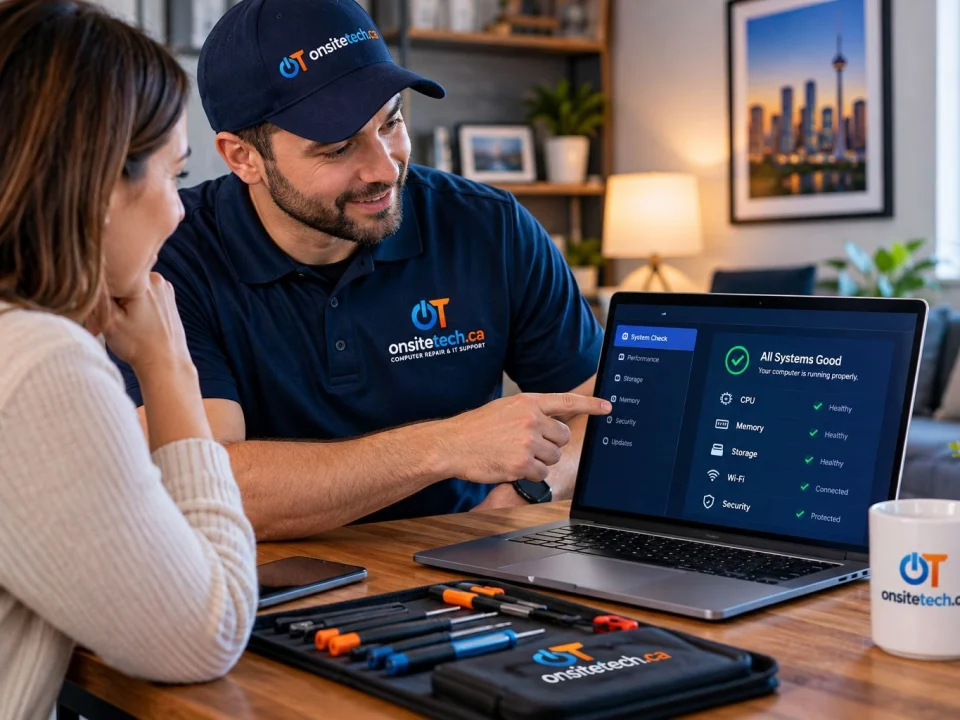
No Additional Work Without Your Approval

Sometimes the appropriate next step becomes clearer only after the problem has been checked.

If additional work, a replacement part, hardware, equipment or another applicable cost is required, we review it with you before approved additional work proceeds.

Parts, equipment and applicable software are separate from the standard labour rate when required.

And if the problem turns out to belong to another OnSiteTech service, we can route it appropriately instead of forcing it into the service name originally selected.

You don’t have to choose the perfect service before we can start helping.

What Does an On-Site Visit Cost?

Our standard on-site labour rate for home and business service is:

$99/hour

The first hour is billed in full.

After the first hour, labour is billed in 30-minute increments.

Parts, equipment, applicable travel and other approved requirements are separate where applicable.

Want the full breakdown for Calgary, outside Calgary and no-fix visits?

What If It Can’t Be Fixed?

No Fix, No Labour Charge.

If the device can’t be repaired, you don’t pay repair labour.

Applicable visit and travel charges still follow our current pricing policy.

  • Calgary

    If the device can’t be repaired: $10 visit/travel charge. No repair labour.

  • Outside Calgary

    If the device can’t be repaired: $10 + the applicable $1/km travel charge. No repair labour.

What Happens Before We Finish?

When appropriate for the work performed, we check the relevant result before the visit is completed.

We also explain what was done and anything you should know afterward.

If another step is needed, we tell you.

The goal isn’t simply to say: “It should work now.”

The goal is for you to understand what was done and what happens next.

What About the 30-Day Warranty?

Our 30-day warranty applies to the labour performed by OnSiteTech, within the applicable warranty terms.

It does not automatically cover unrelated problems, new damage or work outside the original service scope.

If you believe a problem is related to the work we performed, contact us and tell us what’s happening.

What Should You Do Before We Arrive?

Not much.

You don’t need to prepare your computer like you’re taking it to a repair lab.

A few things can help:

  • Leave the problem as you found it when practical.
  • If you see an error message, taking a photo can be useful.
  • If you already tried something to fix the problem, tell us what you tried.
  • If important files are missing, inaccessible or at risk, tell us before work begins.
  • Have relevant passwords or account access available only when needed for approved work.

And if you don’t know any technical details?

That’s okay.

“It stopped working yesterday” is a perfectly reasonable place to start.

Already Chosen Your City or Service?

You shouldn’t have to keep giving us the same information.

If you’ve already selected your city, we carry it forward.

If you’ve already selected a service, we carry that forward too.

If both are already known, booking should move you directly to the next information we actually need.

Less repetition. Faster booking.

Not Sure What’s Wrong?

That’s not a separate kind of customer. It’s normal.

You don’t need to decide whether the problem is hardware, software, Windows, macOS, Wi-Fi, battery, storage, malware or something else.

Start with what you can see.

Computer won’t start?
Laptop won’t charge?
Mac keeps freezing?
Wi-Fi keeps disconnecting?
Printer won’t print?
Something just isn’t working normally?

That’s enough.

Something Isn’t Working? Start There.

You don’t need the name of the repair.
You don’t need to know which part failed.
And you don’t need to diagnose the problem before asking for help.

Tell us where you are and what’s happening.

We’ll take it from there.

  • Microsoft Certified
  • Price approved before we start
  • 30-day warranty
  • No fix, no labour charge

Your Computer Problem Doesn’t Have to Take Over Your Day.

You don’t need to know exactly what’s wrong. Tell us where you are and what’s happening.

Call Now WhatsApp Book Repair